
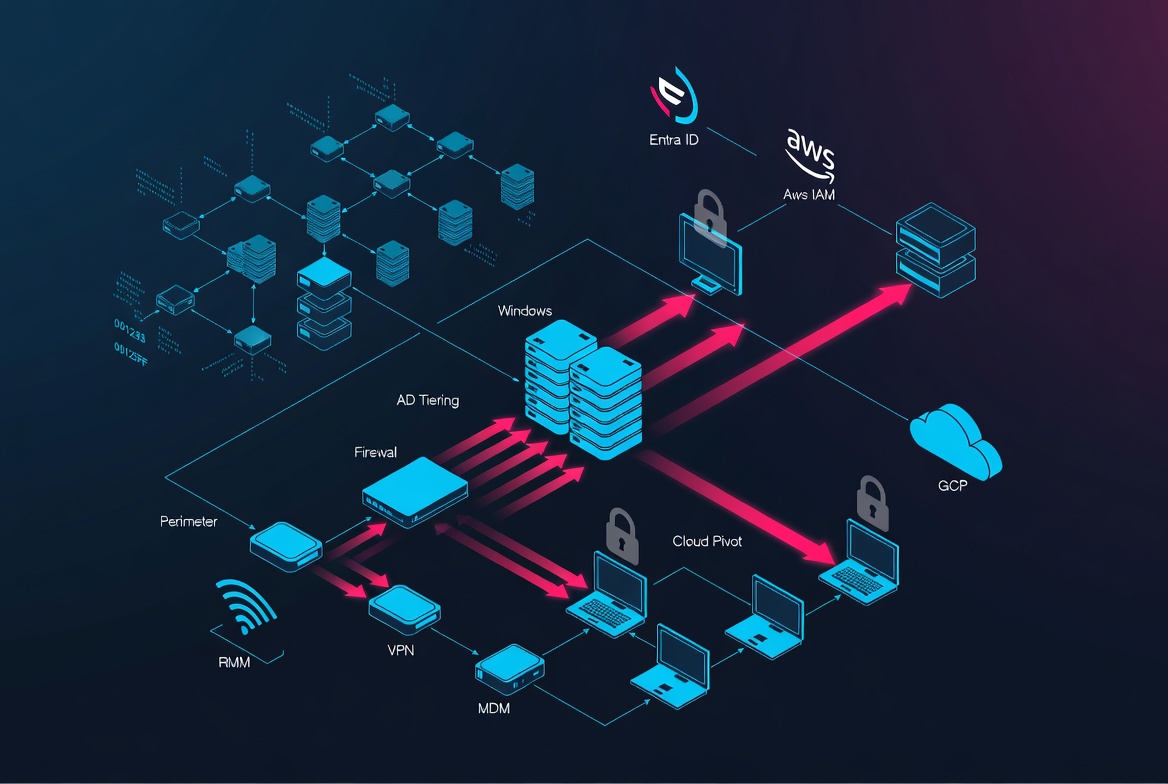
Designing upstream controls that cut off access brokers, endpoint breakout, and perimeter device exploitation before T1021 starts
Download MITRE ATT&CK Navigator TTPs as as JSON Layer / Excel
Executive Summary + Key Takeaways
Part 1 focused on detecting and containing ransomware lateral movement techniques once an attacker is already inside. Part 2 shifts left: it turns the same high-signal lateral movement detections into upstream prevention controls that deny the foothold in the first place, across endpoints, humans, and exposed perimeter services.
Modern ransomware operations routinely outsource early-stage access to access brokers, who monetise compromised credentials, session tokens, and exploited edge appliances. Microsoft continues to highlight infostealers as a major enabler of credential and token theft at scale, feeding downstream ransomware and broader intrusions. (Microsoft) As of 2026, rapid weaponisation remains a practical reality for internet-facing systems: GreyNoise observed scanning and reconnaissance for BeyondTrust Remote Support and Privileged Remote Access shortly after PoC publication for CVE-2026-1731. (greynoise.io)
Key takeaways
- Treat endpoint breakout as a lateral movement “prerequisite supply chain”: if you block credential material theft and admin-plane reachability, you dramatically reduce T1021 and credential replay T1550 options.
- Treat phishing and vishing as an access broker pipeline: harden identity proofing and MFA rebind workflows to stop T1078 being minted via humans.
- Assume perimeter device exploitation will happen: design your DMZ and segmentation so that “edge compromise” cannot become “internal movement”, even when a firewall, VPN, file transfer solution, remote support stack (BeyondTrust/Bomgar), or MDM portal (Ivanti as a common example) is hit.
Intel Feed Summary
- Threat theme: Upstream prevention for lateral movement (Part 2 of 2)
- Primary techniques blocked: Valid Accounts T1078, Remote Services T1021, Use Alternate Authentication Material T1550, OS Credential Dumping T1003, Impair Defences T1562
- Foothold areas: endpoint-driven initial access and breakout, social engineering (phishing/vishing/helpdesk), exposed perimeter and segmentation architecture, hybrid identity blast radius (AD + Entra ID + SaaS)
- High-risk technology classes: perimeter devices (Fortinet, Palo Alto, Cisco), file transfer solutions, remote support/PAM platforms (BeyondTrust/Bomgar), MDM platforms (Ivanti), hybrid identity synchronisation components
- Core prevention controls: phishing-resistant MFA, helpdesk proofing hardening, endpoint credential protection (Credential Guard, LSASS PPL, NTLM reduction), local admin governance (LAPS, JIT/JEA), workstation breakout inhibitors (WFW baselines, W2W SMB/RDP denial), DMZ tiering and admin plane isolation, external surface minimisation, continuous validation
From Part 1 detections to Part 2 prevention:
Part 1’s high-signal detections for lateral movement typically cluster into a small set of prerequisites:
- Reachability: Can a compromised host talk to other endpoints over admin protocols (SMB/RDP/WinRM/WMI)?
- Privilege: Does the compromised principal or device have standing admin rights somewhere else?
- Credential material: Can the attacker obtain reusable secrets (NTLM hashes, Kerberos tickets, refresh tokens, cookies, VPN session material)?
- Management plane access: Can the attacker reach tier-0 or edge management interfaces?
- Human reset path: Can the attacker “mint” a valid account or reset factor through helpdesk or social engineering?
Part 2 operationalises these into controls that deliberately break the chain before Part 1’s detections ever fire.
A useful mental model is: if you can turn a detection into a deny-by-default control, you should, then keep the detection as assurance.
Endpoint foothold prevention:
Endpoint-driven initial access is not just “phishing + malware”. In 2026 ransomware TTPs, endpoints are frequently used as:
- a staging point for credential and token theft, and
- a breakout platform to reach remote services and administrative shares.
Microsoft describes infostealers as harvesting credentials and tokens at scale, feeding a broader cybercrime economy that enables ransomware and downstream compromise. (Microsoft) The operational reality for SOC and DFIR teams is that by the time you see your Part 1 lateral movement signals (new RDP logons, admin share access, WMI/WinRM, remote service creation), the real failure has already occurred: endpoint conditions allowed an attacker to obtain and reuse access material.
Endpoint-to-lateral-movement chain: why infostealers matter for T1021 and T1550
Infostealers and post-exploitation toolkits do not need domain admin to kick off lateral movement. They need:
- Reusable authentication material: passwords, NTLM hashes, Kerberos TGT/TGS, cached browser credentials, VPN cookies, cloud refresh tokens, device-bound tokens in weak configurations.
- A path to a remote service: SMB, RDP, WinRM, WMI, SSH, remote support agents, management tools.
Once the attacker has a reusable secret, lateral movement becomes a routing problem:
- Credential replay: Pass-the-Hash T1550.002, Pass-the-Ticket T1550.003, token reuse T1550
- Remote execution via remote services: SMB/Windows Admin Shares T1021.002, RDP T1021.001, WinRM T1021.006, WMI T1047
- Privilege escalation and persistence then amplify and repeat.
So the prevention objective on endpoints is straightforward: make it difficult to steal usable secrets, and make it hard for a compromised endpoint to reach other endpoints over admin protocols.
Endpoint controls that prevent lateral movement preconditions
This subsection is deliberately practical. It is written to be implemented by endpoint engineering, identity, and network teams, and to be validated by SOC.
| Control area | What to implement | Why it breaks lateral movement | Telemetry that proves it is working | Common failure modes and bypasses |
|---|---|---|---|---|
| Local admin governance | Remove local admin from users; enforce least privilege; adopt tiered admin (separate admin accounts) | Reduces immediate ability to dump creds T1003, disable defences T1562, and install remote tooling; forces attacker into noisier escalation paths | Local group membership inventories; EDR alerts on privilege escalation; Windows event 4732/4733 (local group changes), 4672 (special privileges assigned) | “Shadow admin” via local groups deployed by legacy apps; shared admin accounts; local admin for IT convenience; admin token leakage via RDP into endpoints |
| LAPS for local admin | Deploy Windows LAPS with AD or Entra ID backup | Prevents password reuse across endpoints, reducing lateral movement via local admin reuse over SMB/RDP | LAPS policy compliance; LAPS password rotation events; audit access to LAPS password retrieval | Over-broad read permissions for LAPS secrets; static “break glass” local admin; endpoints not enrolled or off-domain |
| Credential Guard | Enable Windows Defender Credential Guard using VBS | Protects NTLM hashes, Kerberos TGTs, and domain credentials, directly weakening Pass-the-Hash/Pass-the-Ticket T1550 | Device security posture (VBS/CG enabled); reduction in successful PtH patterns; EDR credential theft detections | Incompatible legacy auth flows; exceptions for specific workloads; attackers pivot to token theft, cookie theft, or compromise systems where CG is off |
| LSASS protection | Enable LSASS as protected process (RunAsPPL) and harden dumping protections | Forces many commodity dumpers to fail or become noisier; increases friction for T1003 | Policy state for LSASS PPL; EDR blocked memory reads; fewer successful LSASS access events | BYOVD (bring your own vulnerable driver) paths; kernel-level attackers; misconfiguration without UEFI lock where required; operational pushback |
| NTLM reduction strategy | Audit then restrict NTLM, starting with high-risk paths (workstations) | Removes a primary replay substrate for T1550.002 and credential relaying; forces Kerberos and modern auth | DC NTLM auditing logs; decreasing NTLM authentication volume; fewer NTLM fallback events | Legacy apps and printers; unmanaged devices; exceptions that become permanent; mis-scoped blocks break business processes |
| SMB hardening | Disable SMBv1; enforce SMB signing; restrict admin shares; use SMB encryption where needed | Reduces credential capture and abuse over SMB, constrains T1021.002 and remote service staging | SMB signing compliance, OS policy compliance; network telemetry for SMB sessions only to approved subnets | “Temporary” exceptions; file servers reachable from all segments; workstation file sharing enabled |
| Disable or scope WinRM/WMI | Remove WinRM from endpoints where feasible; restrict WMI remote use; allow only from management subnets | Eliminates quiet remote execution options (T1021.006, T1047) that commonly appear in Part 1 detections | Service state inventory; inbound port reachability testing; logs show WinRM only from mgmt subnets | Remote support dependencies; IT tooling assumes WinRM everywhere; attackers pivot to SMB or remote scheduled tasks |
| Application control | Deploy WDAC/AppLocker with a staged allow-list strategy | Blocks common infostealer loaders and post-exploitation tools (PowerShell droppers, LOLBAS chains), disrupting staging for T1021 | AppLocker/WDAC enforcement logs; EDR “blocked execution” events; reduced unsigned tooling execution | Over-reliance on audit mode; broad allow rules; signed-but-abused binaries (LOLBAS), abuse of trusted installers |
| Script control | Constrain PowerShell (Constrained Language Mode where appropriate), enforce AMSI and script signing, disable Office macros from internet | Reduces initial foothold quality and post-exploitation automation (T1059.001) used to progress to remote services | PowerShell operational logs; AMSI telemetry; macro block events | Exceptions for IT scripts become attacker pathways; scripting via other interpreters; disabling logging for performance |
| EDR tamper protection | Enforce tamper protection and protect security agent services | Keeps prevention and telemetry intact, raises cost of T1562.001 | EDR policy compliance; attempted disable events; drift detection | Local admin users can disable agents; unmanaged endpoints; attackers target safety kernel drivers or exploit vulnerable drivers |
| Breakout inhibitors | Deny workstation-to-workstation SMB/RDP by default; scope admin protocols to management planes | Makes Part 1’s high-signal detections rarer because the traffic cannot occur; collapses lateral movement blast radius | Firewall rule compliance; netflow shows SMB/RDP only to management, servers, and approved admin jump hosts | Flat networks; “temporary” W2W allowance; exceptions not reviewed; shadow IT subnets |
Key implementation sources
- Microsoft Credential Guard overview: Credential Guard documentation (Microsoft Learn)
- Microsoft Windows LAPS overview: Windows LAPS documentation (Microsoft Learn)
- Microsoft LSASS protection guidance: Additional LSA protection (LSASS PPL) (Microsoft Learn)
- Microsoft NTLM restriction guidance: Restrict NTLM audit guidance (Microsoft Learn)
Breakout inhibitors: building “host-level segmentation” that stops T1021 by default
A recurring lesson from ransomware investigations is that east-west reachability turns one endpoint compromise into many. If you accept that some endpoints will be compromised (infostealer, drive-by, supply chain, user install), then workstation “breakout inhibitors” become a high-leverage control.
Baseline objective
- Workstations should not be able to initiate SMB or RDP to other workstations.
- Workstations should only reach management services (WinRM/WMI/SMB admin shares) on a narrow set of admin targets, ideally via privileged access workstations (PAWs) and management subnets.
- Servers should only accept admin protocols from management tiers, never from user subnets.
This is the network segmentation story, implemented at the host firewall layer so it still holds when VLANs drift.
Practical pattern: Windows Firewall baseline (illustrative)
- Block inbound admin protocols from non-management subnets on workstations:
- SMB (TCP 445)
- RPC endpoint mapper (TCP 135) and dynamic RPC (scoped)
- WinRM (TCP 5985/5986)
- RDP (TCP 3389)
- Allow admin protocols only from management subnets and PAWs.
- Explicitly block workstation-to-workstation SMB and RDP, even within the same subnet.
Example PowerShell (adapt to your environment and test carefully):
# Example: allow SMB only from management subnet, block everywhere else
New-NetFirewallRule -DisplayName "ALLOW SMB from MGMT" -Direction Inbound -Protocol TCP -LocalPort 445 -RemoteAddress 10.10.0.0/16 -Action Allow
New-NetFirewallRule -DisplayName "BLOCK SMB from non-MGMT" -Direction Inbound -Protocol TCP -LocalPort 445 -RemoteAddress Any -Action Block

# Example: block inbound RDP by default on workstations
New-NetFirewallRule -DisplayName "BLOCK RDP inbound" -Direction Inbound -Protocol TCP -LocalPort 3389 -RemoteAddress Any -Action Block
Telemetry and validation
- Network flows: sharp reduction in workstation-to-workstation SMB and RDP.
- Windows Firewall logs: blocks for 445/3389/5985 on workstations from user subnets.
- Part 1 detections as assurance: if your high-signal detections stop firing because the traffic is blocked, that is success, not blind spot.
Failure mode to expect
Attackers adapt by moving to:
- compromised servers inside allowed segments,
- remote support tooling already installed,
- cloud lateral movement via identity and SaaS rather than SMB/RDP.
That is why endpoint breakout inhibitors must be paired with identity tiering and hybrid identity blast radius reduction later in this report.
Social engineering prevention:
Access broker initial access is often a product, not an accident. Access brokers monetise:
- stolen credentials and tokens from infostealers,
- phished accounts (including MFA fatigue paths),
- vishing-driven helpdesk resets,
- purchased VPN access and compromised remote support portals.
CrowdStrike has long described access brokers as a key component of the eCrime ecosystem, selling access and enabling downstream ransomware operations. (crowdstrike.com) Google’s Threat Analysis Group also publicly tracked an initial access broker tied to ransomware ecosystems, illustrating the commercial nature of this pipeline. (blog.google)
From a prevention perspective, your goal is to make “valid accounts” harder to mint than “exploit a vulnerability”. That means treating human workflows as security controls, not customer service conveniences.
Helpdesk and identity verification hardening: make resets unphishable
If Part 1 detections include:
- sudden new MFA device registrations,
- password resets followed by new sign-ins,
- abnormal sign-in geography or device posture,
then Part 2 controls should stop the reset or rebind unless it is strongly verified.
Minimum hardening standard for privileged and high-impact users
- No phone-only resets for privileged users and any account with admin roles.
- No SMS-only identity proofing for MFA rebinds.
- Mandatory step-up for MFA rebind (phishing-resistant method or in-person verification).
- Out-of-band verification that cannot be controlled by the caller (for example, verified HR record plus manager approval plus existing phishing-resistant credential).
- High-risk operations queue: MFA reset, password reset, new device registration, adding forwarding rules, and adding OAuth app consent should trigger a human-reviewed workflow for admins and finance.
SIM swap resilience
SIM swaps and number port-outs are a known enabling factor for SMS-based compromise. In practice, resilience looks like:
- eliminating SMS as an MFA method for privileged users,
- using phishing-resistant MFA (FIDO2/passkeys or certificate-based),
- requiring device compliance and Conditional Access for sensitive apps.
Microsoft’s Entra documentation explicitly supports enforcing phishing-resistant MFA via Conditional Access authentication strength policies. (Microsoft Learn)
Phishing-resistant MFA rollout strategy
You cannot “MFA your way out” of token replay and device-code phishing if the MFA method is phishable. Modern campaigns increasingly abuse legitimate authentication flows and steal tokens rather than passwords.
Microsoft provides specific guidance on requiring phishing-resistant MFA in Conditional Access and on deploying passkeys (FIDO2). (Microsoft Learn)
Rollout sequence that actually survives ransomware pressure
- Privileged admins and admin interfaces first
- Entra ID roles, AD admins, firewall/VPN admins, MDM admins, remote support admins (BeyondTrust/Bomgar class), CI/CD admins, SaaS super-admins.
- Require phishing-resistant MFA and compliant devices for admin portals.
- Admin-plane isolation
- Admin access only from PAWs or hardened jump hosts (see hybrid identity and segmentation sections).
- Break-glass accounts
- Keep 2 emergency access accounts, excluded from Conditional Access but stored offline, monitored, and tested.
- Treat break-glass use as an incident.
- High-risk user cohorts
- Finance, HR, executives, helpdesk, IT support.
- General users
- Move away from SMS/voice to phishing-resistant methods where feasible.
Protect against token replay and device-code phishing
Device code phishing is an increasingly common pattern: the attacker convinces a user to enter a legitimate device code, resulting in token issuance without stealing credentials.
Microsoft documents how to restrict high-risk authentication flows, including blocking device code flow via Conditional Access where feasible. (Microsoft Learn)
Practical controls:
- Block device code flow except for documented, controlled use cases.
- Require compliant device and/or trusted network for sensitive SaaS.
- Shorten session lifetimes for high-risk apps and enforce continuous access evaluation where supported.
- Detect and block suspicious OAuth app consent (see hybrid identity section).
Social engineering turns into lateral movement
This subsection maps the human compromise chain directly to the lateral movement modules discussed in Part 1.
| Stage | What the attacker does | Why it works | Lateral movement outcome | ATT&CK mapping |
|---|---|---|---|---|
| Pretexting and targeting | Uses brand spoofing, vishing scripts, fake invoices, or “IT support” | Humans are the control plane for identity; helpdesk is a privilege escalation surface | Gains initial creds or forces MFA rebind | Valid Accounts T1078 |
| Credential or token capture | Phishes credentials, performs AiTM, abuses device code flow, or steals session cookies | Tokens often bypass password resets; MFA can be phished if not resistant | Obtains reusable auth material | Use Alternate Authentication Material T1550 |
| Privilege shaping | Adds forwarding rules, creates OAuth app grants, registers devices, enumerates groups | Hybrid identity often allows broad discovery and persistence | Establishes durable access and targets admin surfaces | Account Manipulation T1098 |
| Pivot into endpoint | Uses remote support tool, VPN, or MDM to reach devices | Tools are designed to look legitimate and bypass perimeter controls | Lands on endpoint with interactive control | Remote Services T1021 |
| Credential material theft and replay | Dumps creds or replays tokens to reach servers | Endpoint has cached secrets; east-west reachable | Starts Part 1 lateral movement signals | OS Credential Dumping T1003, T1021, T1550 |
Prevention implication: if you harden identity proofing and block phishable auth flows, you reduce the likelihood that Part 1’s lateral movement detections ever become relevant.
Exposed perimeter and segmentation architecture:
Internet-facing services remain a foothold multiplier. The reality is not just “VPNs are risky”, it is that any externally reachable administrative or data movement plane can become a single-step bridge into internal networks.
This includes:
- firewalls and VPN concentrators (Fortinet frequently targeted as a firewall class, Palo Alto edge devices, and Cisco legacy VPN stacks),
- file transfer solutions and managed file transfer portals,
- remote support and privileged access platforms (BeyondTrust/Bomgar class),
- MDM portals and enrolment infrastructure (Ivanti examples are common in incident reporting),
- cloud and SaaS admin portals, especially when reachable from unmanaged devices.
Perimeter device exploitation changes the economics of ransomware
Perimeter device exploitation often yields:
- privileged network position,
- credential material (config files, SSO keys, LDAP binds),
- direct reachability into management planes,
- stealth advantages (edge devices are harder to monitor well).
CISA has repeatedly highlighted exploitation of edge and remote access systems as a practical threat to enterprise networks. For example, CISA’s Fortinet alert noted Fortinet’s statement that CVE-2024-21762 was potentially exploited in the wild. (cisa.gov) A joint NSA-CISA guide also emphasises that remote access VPN servers are entry points and targets, and provides hardening guidance. (U.S. Department of War)
You should assume classes of issues like these will recur:
- Fortinet SSL-VPN and firewall appliances
- Fortinet Advisory for CVE-2024-21762 and NVD
- Fortinet Advisory for CVE-2023-27997 and NVD
Canadian cyber authorities have also described post-compromise persistence tradecraft targeting Fortinet devices following exploitation of these vulnerabilities. (Canadian Centre for Cyber Security)
- Palo Alto Networks GlobalProtect edge devices
- Palo Alto Advisory for CVE-2024-3400 and NVD
CISA published guidance and alerts around this vulnerability. (cisa.gov)
- Palo Alto Advisory for CVE-2024-3400 and NVD
- BeyondTrust/Bomgar remote support and privileged access class
- BeyondTrust Advisory for CVE-2026-1731 and NVD
GreyNoise observed reconnaissance shortly after public PoC activity. (greynoise.io)
- BeyondTrust Advisory for CVE-2026-1731 and NVD
- Ivanti MDM compromise and mobile device management portals
- Ivanti Advisory for CVE-2023-35078 and NVD
CISA published incident-driven guidance for exploitation of Ivanti EPMM vulnerabilities. (cisa.gov)
- Ivanti Advisory for CVE-2023-35078 and NVD
- File transfer solutions as ransomware staging points
MOVEit became a widely referenced example of file transfer solutions being exploited and then used for downstream impact.- Progress Advisory for CVE-2023-34362 and NVD
Public-sector alerts highlighted active exploitation. (NHS England Digital)
- Progress Advisory for CVE-2023-34362 and NVD
These are not “edge cases”. They are predictable outcomes of exposing complex, high-value services directly to the internet.
Architecture principles: “no direct internet”, DMZ tiers, no direct ingress to internal
The most effective perimeter prevention control is not a signature, it is architecture:
No client direct internet access (practical interpretation)
- User endpoints should not reach the internet directly where you can avoid it.
- Force egress via secure web gateways, proxy stacks, and DNS filtering.
- Apply TLS inspection where lawful and feasible, prioritising high-risk categories (download sites, newly registered domains, file sharing, ad networks).
Why this matters:
- Infostealers are commonly delivered via malvertising, SEO poisoning, and drive-by downloads. Microsoft continues to describe this ecosystem as a material risk driver. (Microsoft)
- Removing direct egress reduces both initial delivery and command-and-control resilience.
Assurance signals:
- Proxy logs show >95 percent of endpoint egress via controlled gateways.
- Direct-to-internet firewall hits trend towards zero, with exception governance.
DMZ tiers that isolate internet-facing services
A DMZ should not be a single flat subnet. Treat it as at least two tiers:
- Edge services tier (Tier DMZ-0): reverse proxies, WAF, external mail gateways, VPN termination, remote support front doors.
- Application tier (Tier DMZ-1): internet-facing apps, file transfer portals, externally reachable APIs.
- Internal tier: never directly reachable from the internet, only via controlled app flows.
The UK’s NCSC describes the role of a DMZ as a buffer zone isolating external-facing systems from internal environments. (ncsc.gov.uk)
Assurance signals:
- Netflow: edge tier talks to app tier on narrow ports, app tier to internal on narrow ports, and no “any-any” paths.
- Firewall rule reviews show explicit deny-by-default, with change control.
No direct external ingress to internal networks
- No inbound NAT from internet to internal RFC1918 networks.
- No direct exposure of admin planes (firewall management, VPN management, MDM admin portals) to the public internet.
- No RDP exposure, no SMB exposure, no WinRM exposure.
If you need remote admin, use:
- bastion hosts in a management enclave,
- conditional access (identity-bound) plus device compliance,
- privileged access workstations.
Admin plane isolation: treat management access as Tier 0
Attackers who compromise the admin plane do not need lateral movement. They can reconfigure the network to grant it.
Admin plane includes:
- firewall and VPN admin interfaces (Fortinet, Palo Alto, Cisco),
- hypervisor management,
- backup consoles,
- EDR management,
- MDM admin portals,
- remote support admin consoles (BeyondTrust/Bomgar),
- identity admin portals (Entra ID, Okta, SaaS super-admin).
Implementation pattern:
- Move admin interfaces onto a dedicated management network with no user endpoint access.
- Require access from PAWs only.
- Require phishing-resistant MFA for all admin-plane logons.
- Deny management plane access from the DMZ.
Microsoft’s enterprise access model and privileged access workstation guidance provides a structured approach for tiering and protecting privileged access paths. (Microsoft Learn)
Segmentation designed for IR containment
Segmentation is not only prevention, it is a containment guarantee. Design it to support incident response:
- Pre-defined containment controls: the ability to quarantine user subnets, isolate business units, and cut off server tiers quickly.
- Service dependency mapping: critical apps should have known, limited dependencies.
- Time-to-contain targets: you should be able to enforce “no workstation-to-workstation SMB/RDP” within hours, not weeks.
The NHS network segmentation guidance outlines DMZ use and also highlights client isolation patterns that reduce lateral movement opportunities. (NHS England Digital)
Hybrid identity blast radius: AD + Entra ID + SaaS pivots
Hybrid identity is where endpoint, user, and perimeter footholds converge. A compromise that starts as “one user clicked” can become “tenant-wide access” if your identity integration and administrative boundaries are weak.
Why hybrid identity increases lateral movement options
In a pure on-prem world, lateral movement often looks like T1021 plus credential replay T1550 plus escalation. In a hybrid world, an attacker can pivot across planes:
- Endpoint → Entra ID: steal refresh tokens, session cookies, or sign-in sessions; register devices; add MFA methods; consent OAuth apps.
- Entra ID → SaaS: use OAuth grants, SSO trust, and admin roles to move laterally into email, storage, CI/CD, HR platforms.
- SaaS → Endpoint: use MDM, remote support, or identity-based access to push agents, scripts, or policies.
- Entra ID → AD: target sync services, privileged groups, or “hybrid admin” accounts that exist in both.
Cloud and SaaS risks are not theoretical. Okta documented that HAR files containing session tokens were accessed during its support system incident, highlighting the real-world value of session material for hijack and downstream compromise. (sec.okta.com) Microsoft also documented token forgery and unauthorised access patterns in Storm-0558 investigations, underscoring that token material and signing systems are high-impact targets. (Microsoft)
The hybrid identity “blast radius” checklist
Minimise standing privilege across planes
- Separate accounts for:
- on-prem AD admin,
- Entra ID admin,
- SaaS super-admin,
- firewall/VPN admin,
- MDM admin,
- remote support admin.
- Use role-based access and just-in-time activation where supported.
Conditional Access and authentication strength
- Require phishing-resistant MFA for admin roles and high-impact apps. (Microsoft Learn)
- Require compliant devices for admin portals.
- Block risky authentication flows, including device code flow where not required. (Microsoft Learn)
Control OAuth app consent and service principals
- Disable user consent by default.
- Require admin approval workflow for new enterprise apps and high-privilege Graph permissions.
- Monitor for new app registrations, new credentials on service principals, and unusual Graph API usage.
Secure synchronisation and federation components
- Treat Entra Connect, PTA agents, ADFS, and federation servers as privileged infrastructure.
- Restrict interactive logon and admin access to these systems.
- Monitor for unusual changes to sync configuration and federation trust.
Enforce device health for cloud access
- If an endpoint is compromised, do not let it be a universal token mint.
- Combine:
- device compliance,
- risk-based sign-in policies,
- session controls for high-risk apps.
AD → Entra ID and Entra ID → AD: pivot patterns and prevention
AD → Entra ID pivots (common patterns)
- Theft of cached domain creds or tokens on endpoints leads to Entra sign-ins from unmanaged devices.
- Compromise of a hybrid admin account yields access to both AD and tenant resources.
Prevention controls:
- Credential Guard to reduce theft of domain credential material on endpoints. (Microsoft Learn)
- Phishing-resistant MFA and compliant device enforcement for Entra sign-ins. (Microsoft Learn)
- Tiered admin model with PAWs.
Assurance telemetry:
- Entra sign-in logs show admin sign-ins only from compliant devices and expected locations.
- Correlate Part 1 lateral movement detections with Entra sign-in anomalies: if you see new RDP lateral movement and a fresh Entra admin token, assume a hybrid pivot.
Entra ID → AD pivots (common patterns)
- Attacker gains Entra admin or app-level Graph permissions, then targets on-prem via device management, scripts, or privileged group changes that flow back through hybrid tooling.
Prevention controls:
- Restrict who can manage devices and deploy scripts via MDM.
- Separate MDM admin from identity admin.
- Protect MDM (Ivanti class) and remote support admin consoles behind admin enclaves.
Assurance telemetry:
- MDM audit logs for mass policy pushes, new enrolments, and admin role changes.
- AD audit logs for group membership changes that align with cloud-side events.
Validation and assurance:
Prevention without validation is hope. This section outlines how to prove foothold-denial controls are operating as intended and how to use Part 1 detections as continuous assurance.
Control assurance matrix: “deny + detect”
| Prevention control | How to validate technically | What should disappear (or sharply reduce) from Part 1 detections | What should remain as alerts |
|---|---|---|---|
| W2W SMB/RDP denial | Port reachability tests, firewall rule compliance, netflow baselines | Inter-workstation SMB/RDP lateral movement signals | Any attempted W2W SMB/RDP should be high-severity, as it is now abnormal |
| Credential Guard + LSASS PPL | Device posture reports, simulated credential dumping in test rings | Successful PtH patterns and credential dump success artefacts | Attempts to access LSASS memory, driver load attempts, defence impairment |
| NTLM reduction | DC NTLM audit logs trending down, exception list reviews | NTLM fallback and NTLM-based lateral authentication | Any NTLM usage from user subnets to servers becomes a prioritised anomaly |
| Phishing-resistant MFA | Conditional Access report-only then enforced, authentication strength reports | Compromises via MFA rebind and token replay should drop | Attempts to use blocked auth flows and suspicious device code flow attempts |
| Admin plane isolation | Network ACL verification, bastion-only admin access tests | “Direct from workstation” admin portal access anomalies | Any admin plane access from user subnets should page immediately |
| DMZ tiering | Flow validation between DMZ tiers, firewall rule audits | Edge-to-internal direct connections | Any DMZ host attempting internal discovery becomes a containment trigger |
Continuous control monitoring (CCM) signals SOC should own
Even if engineering implements the controls, SOC should own the “proof” signals:
- Firewall policy drift detection: new rules that open management plane access or east-west.
- Endpoint posture drift: Credential Guard off, LSASS protection off, LAPS not rotating, EDR tamper disabled.
- Identity drift: conditional access exclusions growing, legacy auth re-enabled, device code flow allowed broadly.
- External surface drift: new internet-exposed services and admin portals.
Adversary emulation and attack simulation
Use controlled tests that map to your Part 1 detections and Part 2 controls:
- Attempt W2W SMB/RDP from a test workstation and confirm it is blocked.
- Attempt remote WMI/WinRM and confirm scoping.
- Attempt device code flow authentication in a test tenant and confirm Conditional Access blocks where expected. (Microsoft Learn)
- Attempt token replay scenarios in a lab (where your tooling supports) and validate session controls.
Segmentation “time-to-contain” exercises
Run quarterly exercises where the objective is:
- isolate a user subnet,
- isolate a site,
- isolate the DMZ,
- preserve business-critical flows.
Measure time and change control friction. If containment requires a CAB meeting, it is not incident-ready.
Foothold Denial
Ransomware groups and their access brokers have proven that the initial access layer is modular. When one path gets harder, another rises.
- Supply chain compromise ransomware remains a credible pathway, as illustrated by the Kaseya VSA supply-chain ransomware event and associated public guidance. (cisa.gov)
- Edge exploitation persists across firewall and VPN ecosystems. CISA and vendors repeatedly publish exploitation-driven alerts for perimeter device classes. (cisa.gov)
- Cloud vendor/SaaS risk is real in hybrid estates, as seen in token and session material exposure cases (Okta support incident, Microsoft token investigation reporting). (sec.okta.com)
The practical conclusion is that you should assume compromise attempts will continue across:
- endpoints (infostealers, drive-by, user installs),
- humans (phishing/vishing, helpdesk resets),
- perimeter services (VPN, firewall admin, remote support, file transfer, MDM).
The advantage comes from denying easy breakout and engineering blast radius limits.